Master EtherChannel with Dubai’s #1 CCNA Instructor
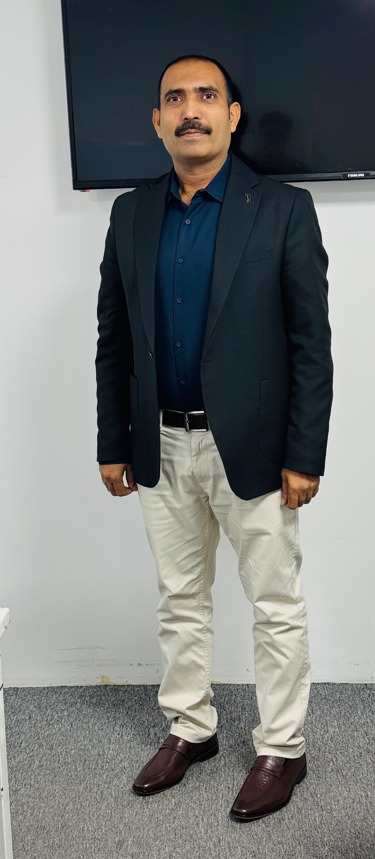
Join our expert-led CCNA 200-301 courses with hands-on EtherChannel labs. Learn from Saeed Ahmad – certified Cisco instructor with 18+ years of networking experience.
EtherChannel is a crucial CCNA 200-301 topic that allows you to bundle multiple physical Ethernet links into a single logical link between Cisco switches. This provides both increased bandwidth and automatic failover – essential skills for network administrators in Dubai.
For CCNA certification, you must understand how EtherChannel works, its protocols (PAgP and LACP), configuration methods, and troubleshooting techniques. This comprehensive guide covers everything you need to know.
EtherChannel Protocols for CCNA 200-301
CCNA candidates must master these two EtherChannel protocols:
| Protocol | Description | Compatibility |
|---|---|---|
| PAgP (Port Aggregation Protocol) | Cisco-proprietary protocol for automatic EtherChannel negotiation | Only between Cisco devices |
| LACP (Link Aggregation Control Protocol) | Industry-standard protocol (IEEE 802.3ad) for automatic EtherChannel negotiation | Between Cisco and non-Cisco devices |
| Static On | Manual configuration without negotiation protocol | Any compatible devices (requires manual setup) |
PAgP and LACP Modes
Understanding negotiation modes is critical for CCNA:
| Protocol | Mode | Description | Negotiates? |
|---|---|---|---|
| PAgP | Desirable | Actively negotiates to form EtherChannel | Yes |
| Auto | Passively responds to negotiation requests | Only if other side is Desirable | |
| LACP | Active | Actively negotiates to form EtherChannel | Yes |
| Passive | Passively responds to negotiation requests | Only if other side is Active | |
| On | Forces interface into EtherChannel without negotiation | No |
EtherChannel Configuration Requirements
For successful EtherChannel configuration in CCNA labs, all interfaces must match these requirements:
- Speed and Duplex: All interfaces must have identical speed and duplex settings
- VLAN Configuration: Same VLAN assignments (access VLAN or allowed trunk VLANs)
- Switchport Mode: All interfaces must be either access or trunk ports
- Native VLAN: Trunk ports must have the same native VLAN
- STP Settings: Consistent Spanning Tree Protocol configuration
- Maximum of 8 physical interfaces can be bundled (with up to 2 in standby for LACP)
CCNA EtherChannel Configuration Commands
Master these essential commands for your CCNA 200-301 exam:
Basic EtherChannel Setup
PAgP Configuration
Static EtherChannel Configuration
CCNA Dubai Lab: EtherChannel Configuration & Troubleshooting
This hands-on lab activity is essential for CCNA 200-301 students to practice real-world EtherChannel implementation with Cisco switches.
1
Lab Topology
We’ll use this network setup for our CCNA Dubai lab:
- Switch A (Core): Cisco Catalyst 2960
- Switch B (Distribution): Cisco Catalyst 2960
- Connections: 2x GigabitEthernet links between switches
2
LACP Configuration
Configure LACP EtherChannel on both switches:
3
Verification Commands
Verify your EtherChannel configuration:
4
Troubleshooting Exercise
Intentionally break the EtherChannel and troubleshoot:
- Mismatch VLAN on one interface
- Change one switch to PAgP while other uses LACP
- Set different speed/duplex on one interface
Use these commands to diagnose issues:
CCNA Troubleshooting Guide: EtherChannel Issues
Common EtherChannel problems and solutions for CCNA Dubai students:
| Symptom | Possible Cause | Solution |
|---|---|---|
Port shows (D) in show etherchannel summary |
Interface is administratively down | no shutdown on the physical interface |
Port shows (I) in show etherchannel summary |
Configuration mismatch (VLAN, speed, etc.) | Verify all requirements match on both ends |
| No Port-channel interface created | Mismatched channel-group numbers | Use same channel-group number on both switches |
| STP blocking individual ports | EtherChannel not properly formed | Fix EtherChannel configuration first |
| LACP/PAgP not negotiating | Mismatched protocols or modes | Ensure compatible modes (Active-Passive, Desirable-Auto) |
show etherchannel summary first. The flags in parentheses tell you exactly what’s wrong with each port.
Related CCNA Dubai Topics
Master these related networking concepts for your CCNA certification in Dubai:
EtherChannel is a fundamental CCNA 200-301 skill that provides critical benefits for enterprise networks in Dubai:
- Increased Bandwidth: Combine multiple links for higher throughput
- Automatic Failover: If one link fails, traffic continues on remaining links
- STP Optimization: Prevents STP from blocking redundant links
- Load Balancing: Distributes traffic across physical links using hashing algorithms
- Simplified Management: Configure one logical interface instead of multiple physical interfaces
Mastering EtherChannel configuration and troubleshooting is essential for both the CCNA 200-301 exam and real-world networking roles in Dubai. The lab exercises provided give you hands-on experience with the exact scenarios you’ll encounter in certification exams and enterprise environments.
Remember these key points for your CCNA exam:
- PAgP is Cisco-proprietary; LACP is industry standard
- All physical interfaces in an EtherChannel must have identical configurations
show etherchannel summaryis your primary troubleshooting command- EtherChannel appears as a single interface to STP
- Maximum of 8 active interfaces per EtherChannel (with LACP allowing 2 standby)
EtherChannel Configuration
CCNA 200-301
LACP
PAgP
Cisco Training Dubai
CCNA Private Tutor
Saeed Ahmad
CCNAGuru
Best CCNA Tutor Dubai
Cybersecurity Tutor Dubai
My Private Tutor
My IT Tutor
Become CCNA Certified with Dubai’s Top Instructor!
Join Saeed Ahmad’s exclusive CCNA 200-301 training in Dubai. Get personalized instruction, hands-on labs, and guaranteed certification success. Limited seats available!