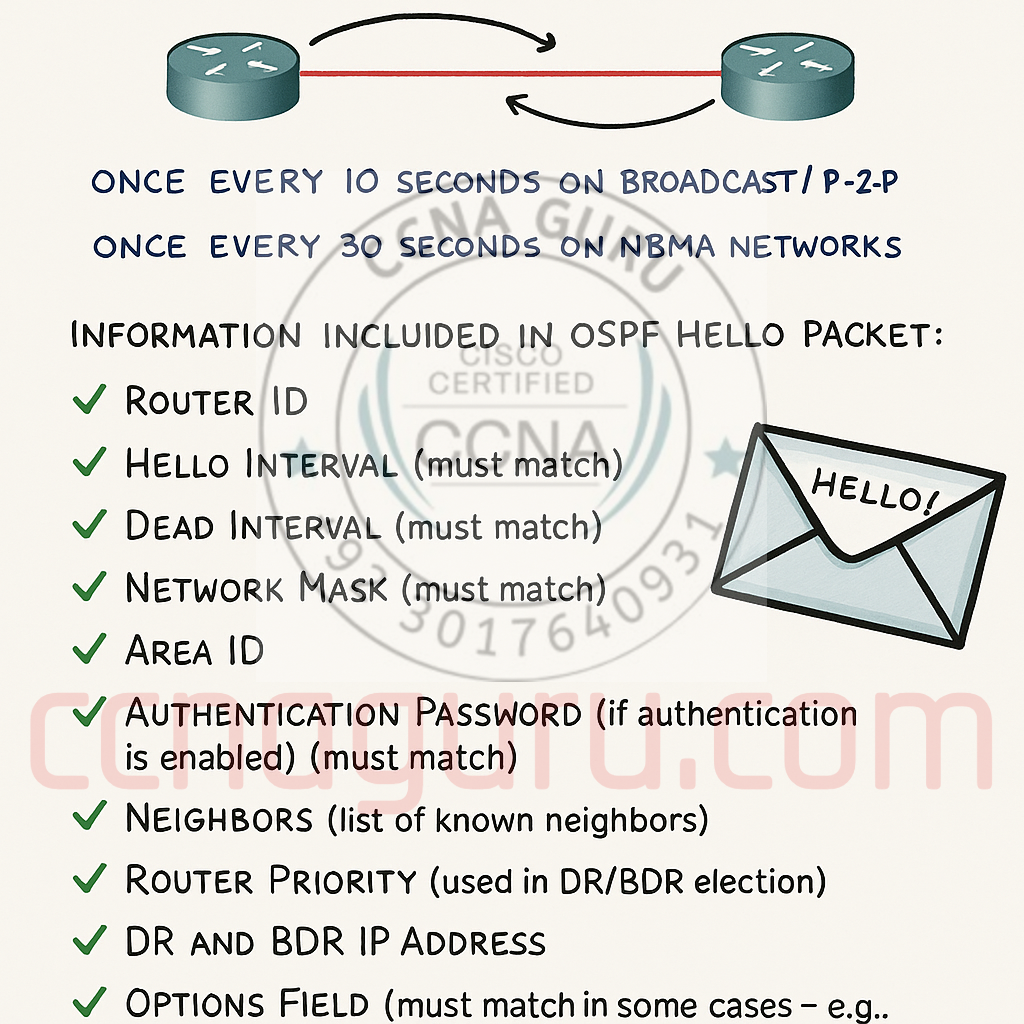
OSPF Hello Packet Structure – Key fields and must-match parameters for neighbor adjacency
OSPF Hello Packets: The Heartbeat of Network Routing
Published: October 15, 2023 | Category: Networking Protocols
The OSPF Hello packet is the fundamental building block of OSPF neighbor relationships. Understanding how these packets work and what data must match between routers is essential for any network engineer.
What is the OSPF Hello Packet?
The OSPF (Open Shortest Path First) Hello packet serves as the cornerstone of OSPF neighbor relationships. Its primary functions include:
- Neighbor Discovery: Finding other OSPF-speaking routers on the same network segment
- Maintaining Adjacencies: Periodically verifying that neighbors are still active
- Parameter Negotiation: Ensuring compatible OSPF configurations before forming adjacencies
Think of Hello packets as both the initial handshake and continuous “keepalive” messages that maintain OSPF neighbor relationships.
Key Data Fields in OSPF Hello Packets
OSPF Hello Packet Structure
Hello Interval
Dead Interval
Router Priority
Area ID
Options
Authentication
Must-Match Fields
| Field Name | Description & Importance |
|---|---|
| Router ID | A 32-bit number that uniquely identifies the router in the OSPF domain |
| Hello & Dead Intervals | Hello Interval: How often (in seconds) the router sends Hello packets. Dead Interval: How long to wait without hearing a Hello before declaring the neighbor down |
| Network Mask | The subnet mask of the interface from which the Hello packet was sent |
| Neighbors List | A list of Router IDs of all neighbors from whom this router has received valid Hello packets |
| Router Priority | Used in Designated Router (DR) and Backup Designated Router (BDR) election process |
| Area ID | The OSPF area number to which the interface belongs |
The “Must-Match” Data for OSPF Neighbor Formation
Critical Matching Parameters
- Area ID: Both interfaces must be in the same OSPF area
- Hello and Dead Intervals: Timers must be identical on both routers
- Authentication: Password and authentication type must match if enabled
- Network Mask: Must be identical on broadcast networks (like Ethernet)
- Stub Area Flag: Stub area configuration must be consistent
A common OSPF configuration mistake is setting different Hello intervals on neighboring routers (e.g., 10 seconds on one router and 30 seconds on another), which prevents adjacency formation.
Why Hello Packets Are Critical in OSPF
While all OSPF packet types serve important functions, Hello packets are particularly crucial because:
- They establish and maintain neighbor relationships – the foundation of OSPF operation
- They enable quick detection of network failures through the Dead Interval mechanism
- They facilitate the DR/BDR election process on multi-access networks
- They prevent incompatible routers from forming unstable adjacencies
Practical Example: Hello Packets in Action
Consider three routers (R1, R2, and R3) on the same Ethernet segment (192.168.1.0/24):
- Discovery: R1 boots up and sends Hello packets to multicast address 224.0.0.5
- Parameter Check: R2 receives the Hello and verifies all “must-match” parameters
- 2-Way State: If parameters match, R2 adds R1 to its Neighbors List in subsequent Hellos
- DR/BDR Election: All routers exchange Router Priority values to elect DR and BDR
- Maintenance: Routers continue exchanging Hellos to maintain the neighbor relationship
Key Takeaway
Without properly functioning Hello packets, OSPF routers cannot form neighbor relationships, exchange routing information, or maintain an accurate view of the network topology. They are truly the heartbeat of OSPF routing.
Tags:
Routing Protocols
Network Engineering
Cisco
CCNA
Network Design